DrumPad Pro · Support
Answers to common questions about DrumPad Pro for iPhone and iPad (iOS 17 or later)
Getting started
How do I play?
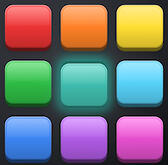
Touch a pad: the sound plays the moment your finger lands. You can play several pads at once. To turn off vibration: Kits (top right) › Vibrate on Touch.How do I change the kit?
On the Pads screen, tap Kits at the top right and pick one of the 15 kits.How do I change the sound of one pad?
Touch and hold the pad, then choose:
• Sound Library…: every sound in the app, sorted by type
• Import a Sound…: an audio file from the Files app
• Settings…: the pad's volume and pitch (from −12 to +12 semitones)Which files can I import?
Common audio formats (WAV, AIFF, M4A, MP3…) available in the Files app. A short sample works best.
Sequencer and compositions
How do I make a beat?
Open the Sequencer tab: 16 steps, 12 tracks. Tap a cell to add or remove a hit, then Play. The slider sets the tempo from 40 to 300 BPM. Clear empties the grid.How do I change a track's sound?
Tap the track number to hear it, or touch and hold it for the library, import and settings. Sequencer sounds are separate from pad sounds.Can I play the pads over my beat?
Yes: on the Pads screen, the play button ▶ starts the sequencer, and the light bulb button makes the pads light up with the beat.How do I save a composition?
In the sequencer, the menu at the top right offers Save, Save As…, Export as Audio… and New Composition. The folder icon opens My Compositions (open, rename, export, delete).How do I export an audio file?
Export as Audio…, then choose WAV (best quality) or M4A (smaller), and the number of loops (1, 2, 4 or 8).
Recording and sharing
How do I record what I play?
On the Pads screen, tap the round red button at the top left, play, then tap it again. Choose WAV or M4A and share your file.Why doesn't the link show up on WhatsApp?
With an audio file, WhatsApp only sends the file. Its name ends with "DrumPad Pro". In Messages and Mail, the message and App Store link are sent.Where are my files?
Your compositions stay in the app, on your device. Deleting the app deletes them too: export the ones you want to keep with Share or Save to Files.
Kits, ads and privacy
Which kits are free?
Techno, Rock and Jazz are always available. Each of the other 12 kits unlocks for 24 hours with a short video. If no video is available (offline), it unlocks anyway, once a day.Why are there ads?
They keep the app free: a banner at the bottom of the screen, and sometimes a full-screen ad, never while playing or recording, and at most once every 3 minutes.How do I change my privacy choices?
In the European Union: Kits › Privacy Choices. For tracking: iPhone Settings › Privacy & Security › Tracking.What data is collected?
No account is needed. Your compositions, sounds and settings stay on your device. Only the advertising partner (Google AdMob) processes data to show ads, according to your choices.
Having a problem?
I can't hear any sound
• Turn up the volume (the app plays even in silent mode)
• Check that no Bluetooth device is connected
• Check the pad volume and the sequencer volume
• Close the app and open it againPlayback stopped on its own
A call, an alarm or unplugged headphones cut the sound: tap ▶ to start again.The sound is late
Bluetooth always adds a small delay. Use the speaker or wired headphones.An imported sound doesn't work
The file may be damaged or in an unsupported format. Convert it to WAV or M4A and import it again.
Contact us
A question, a bug, an idea? Email us with your iPhone or iPad model and iOS version:
DrumPad Pro · Assistance
Réponses aux questions fréquentes sur DrumPad Pro
pour iPhone et iPad (iOS 17 ou plus récent